Online catalogues (OPDS)
OPDS is how online libraries list their books. Bookshelf can show a catalogue as a shelf: Project Gutenberg, Standard Ebooks, the Internet Archive, or your own Calibre, Komga or Kavita server.
Add a catalogue shelf
- Long-press a shelf's tab, tap the plus icon, and choose OPDS catalog… as the source.
- Pick a catalogue from the list, or Add catalog… with a name, URL and, if it needs one, a username and password.
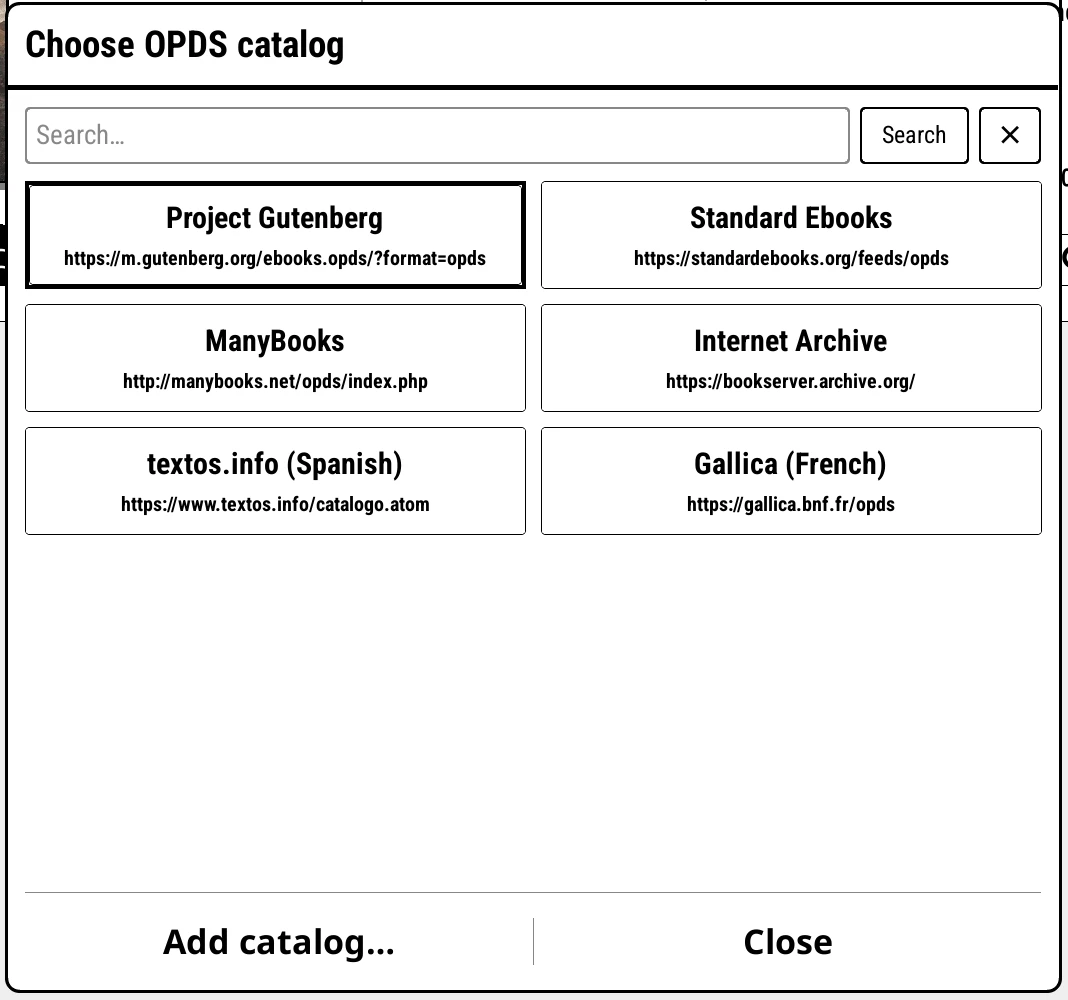
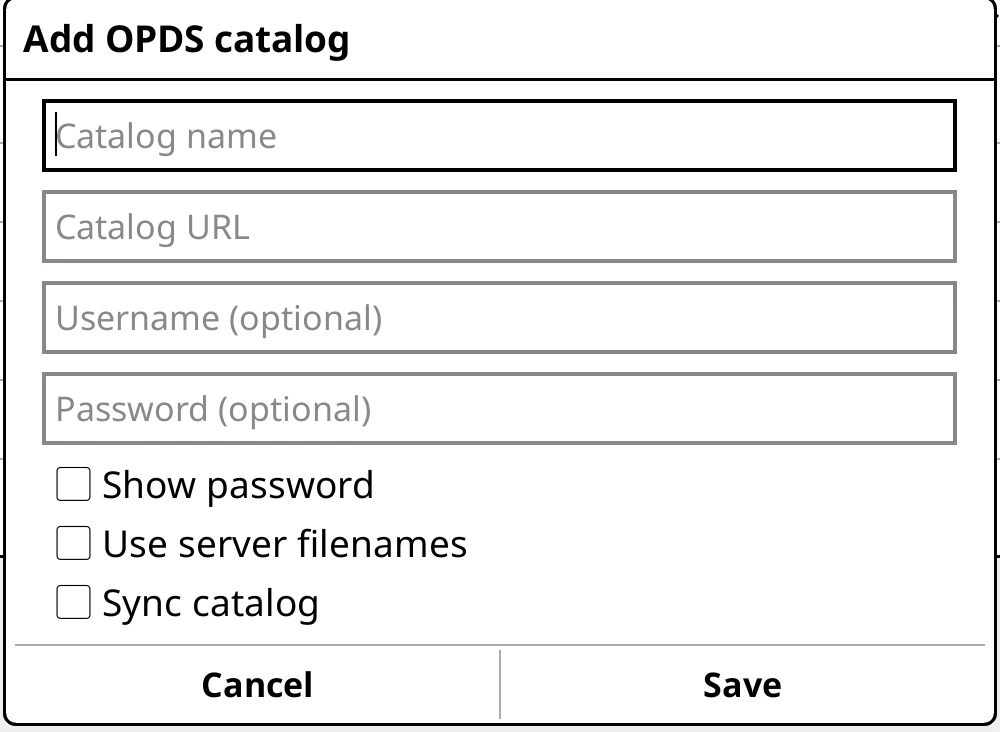
The list is shared with KOReader's own OPDS plugin, so catalogues you added there are already here.
Set a home folder first
Downloads go into your library, so they need a home folder that you've set yourself. Without one, a download stops with a message asking you to set it.
Browsing
A catalogue looks like any other shelf. Categories are tiles: tap to go in, swipe back to come out. Covers load in the background as you page, a few at a time.
The page counter reads "page 3 of 12+" while the catalogue is still loading more. Tap the last page arrow to walk to the real end: it counts as it goes, and a tap stops it.
Everything you've seen is kept on the device, so a catalogue you've browsed opens instantly and works offline. Swipe down to fetch it fresh.
Downloading
Tap a book to preview it in the top panel. Tap it again for the download view: the best format for KOReader comes first, and when the download finishes, Read opens it (or Not now leaves it on the shelf).
Per-catalogue settings
Long-press the shelf's tab and open Catalog settings:
- Saves to: a folder for this catalogue's downloads, inside your home folder.
- Refresh: Only when I swipe down (the default), after five minutes, an hour, a day or a week, or Every time I open it.
- Starts at: open the shelf at a category rather than the top. Set it by long-pressing a category tile and choosing Start this shelf at.
Searching
On a catalogue shelf, the magnifier offers Search catalogue name to search the catalogue itself, or Search my library to check whether you already have a book.
Comics and manga
Servers that stream comics page by page (Komga, Kavita, Suwayomi) get KOReader's Page stream buttons in the download view, to read without downloading.
Catalogues that only lend DRM-protected books can't be used, because KOReader doesn't support DRM.