Page counts
An EPUB has no page count until something lays it out, so a book you've never opened has none. Page counts give spines their width, fill the page badge on covers, and drive the Pages sort and the page tokens.
Extract page counts
Bookshelf > Settings > Library & search > Extract page counts… opens a dialog.
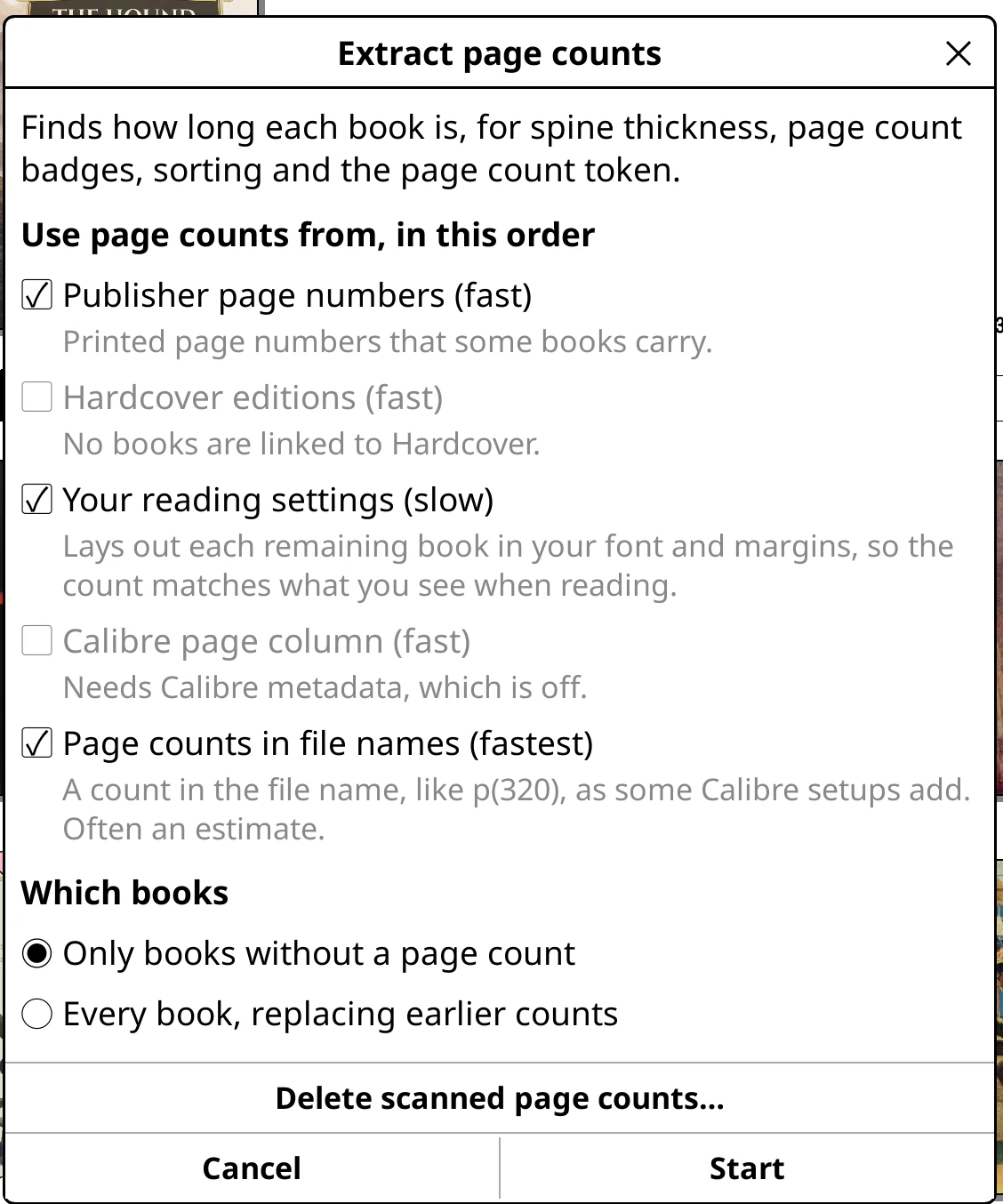
- Use page counts from, in this order
-
Tick the sources to try. The first one with an answer for a book wins.
- Publisher page numbers (fast): the printed page numbers some books carry. Not used for a book where you've turned off KOReader's Use stable page numbers.
- Hardcover editions (fast): for books linked to Hardcover.
- Your reading settings (slow): lays each book out in your own font and margins, so the count matches what you see.
- Calibre page column (fast): a
#pagescolumn, as Calibre's Count Pages plugin fills in. - Page counts in file names (fastest): a
p(320)style count in the file name.
- Which books
- Only books without a page count, or Every book, replacing earlier counts.
Tap Start. Progress shows in the top panel's status line, "Counting pages in book 30 of 41", with a Stop button. The shelf stays usable while it works. If the device sleeps, it carries on afterwards.
Just one folder or series
Long-press a folder, series, author or collection and choose Extract page counts… to count only its books.
Good to know
- A book you've opened uses KOReader's own count, worked out at your reading settings, so spines agree with the reader.
- Counts are kept by Bookshelf, not in each book's sidecar. Writing a sidecar would make KOReader think you'd opened the book.
- Delete scanned page counts… clears the counts from earlier scans, keeping books you've opened.
Showing the count
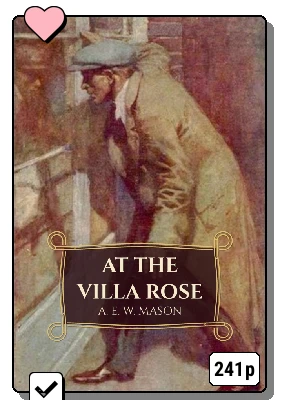
Bookshelf > Settings > Cover display > Page badge puts a pill in the corner of each cover: Pages ("320 p"), Percent read, or Percent read and pages. Count: printed pages first prefers publisher page numbers over your own layout.